AMEN
African Christian creatives can now join the AMEN community before it opens, through a Community page our team designed and built, live at amen.africa/community.
Overview
AMEN, the African Media Entertainment Network, is building a home for African Christian creatives across music, film, media, fashion and business. The platform launched with the Awards, and the Community and Watch will follow.
The AMEN Awards 2027 are live at awards.amen.africa, with four categories: Artist, Creator, Film and Christian Business of the Year. Nominating and voting are free, and nominations are open until 22 December 2026.
I joined AMEN as a design engineer, working alongside other designers and developers in a team of nine. On this team, designers both design and build, taking each piece of work from early directions through to the shipped page. Together, we have delivered the AMEN website, the Community page and waiting list, the brand guideline, admin tools such as the audit log, and the AMEN Awards site.
Problem
With the Awards live and the rest of the platform still to come, we identified two key challenges:
- Creatives arriving now had nowhere to say I’m in. The community does not exist yet, but people who discover AMEN today need a way to join before it opens; otherwise, that interest is lost.
- The team running the Awards could not see who changed what. Nominations, reviews and roles change every day in the admin, and there was no single place to check who made each change, and when.
Discovery
Firstly, we wanted to understand what already existed and what the real data could support, rather than designing from the canvas alone.
- For the waiting list and Community page, we worked from the home page’s frame, navigation, closing band and waiting list form, to ensure that every new page would feel like part of the same product.
- For the audit log, we checked what the API actually returns before designing the screen. It returns the newest 200 changes across every cycle, and names are resolved from each cycle’s current members.
This discovery revealed two things the design canvas did not. Firstly, the planned page description (“Everything that changed in AMEN Awards 2027”) promised more than the data could deliver. Secondly, people who had been removed from the team could not be named from the front end. These insights directly informed the decisions below.
User flows
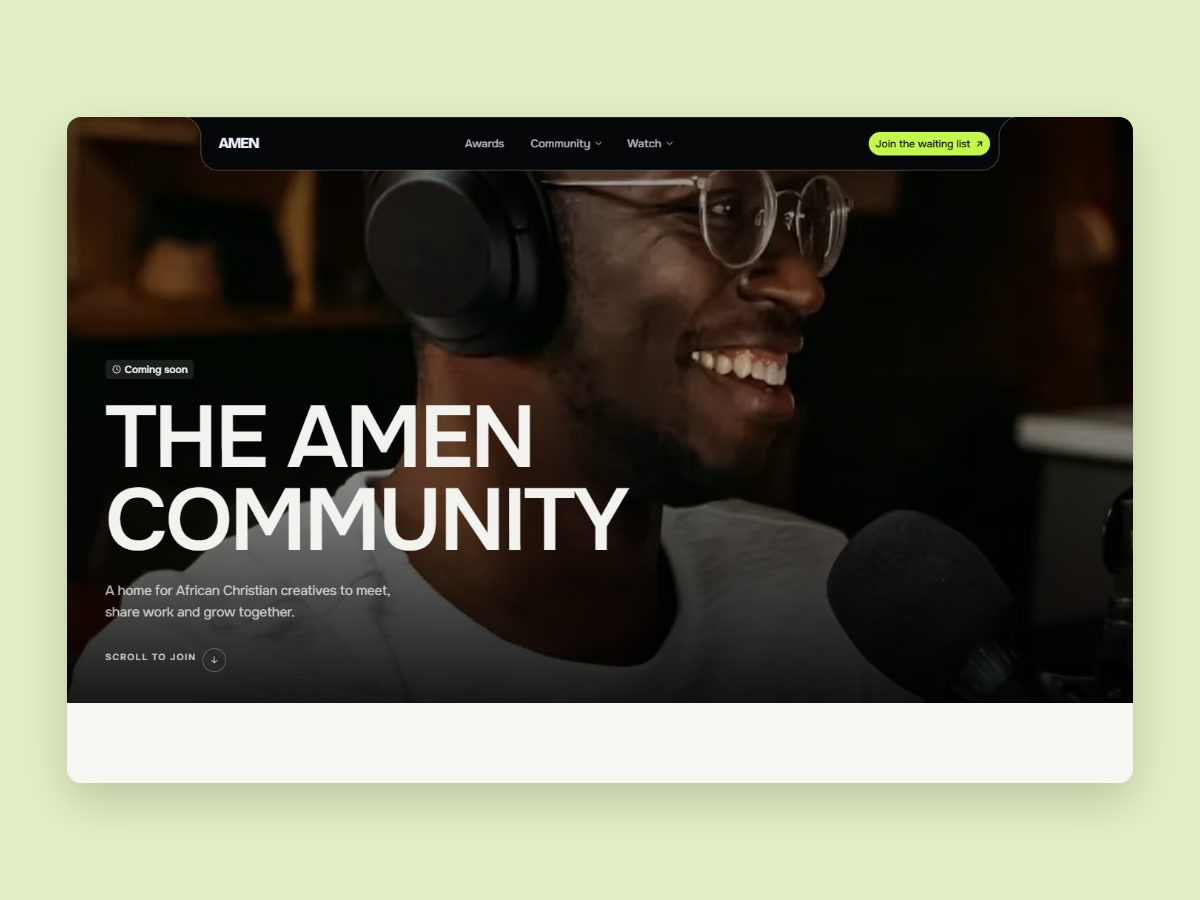
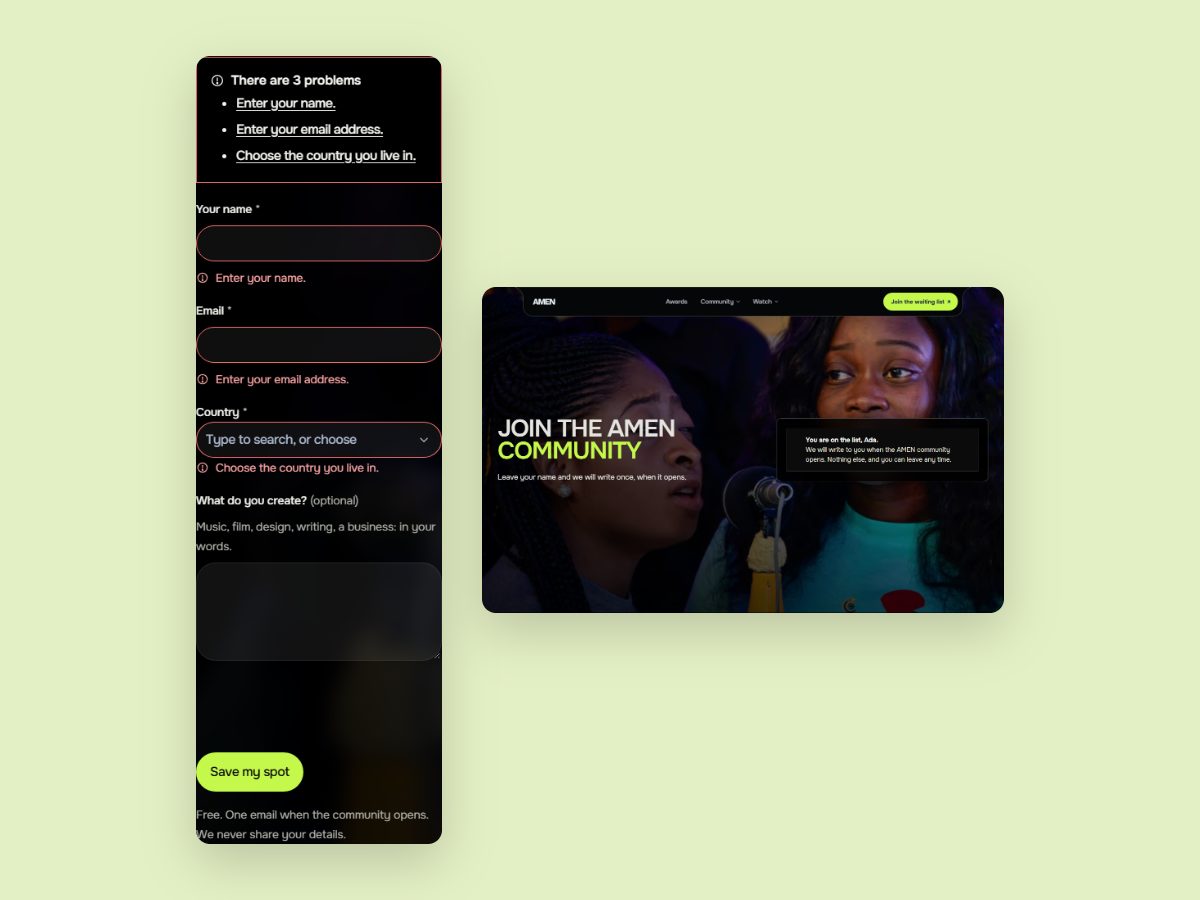
A full-bleed hero with a Coming soon badge says what the AMEN community will be.
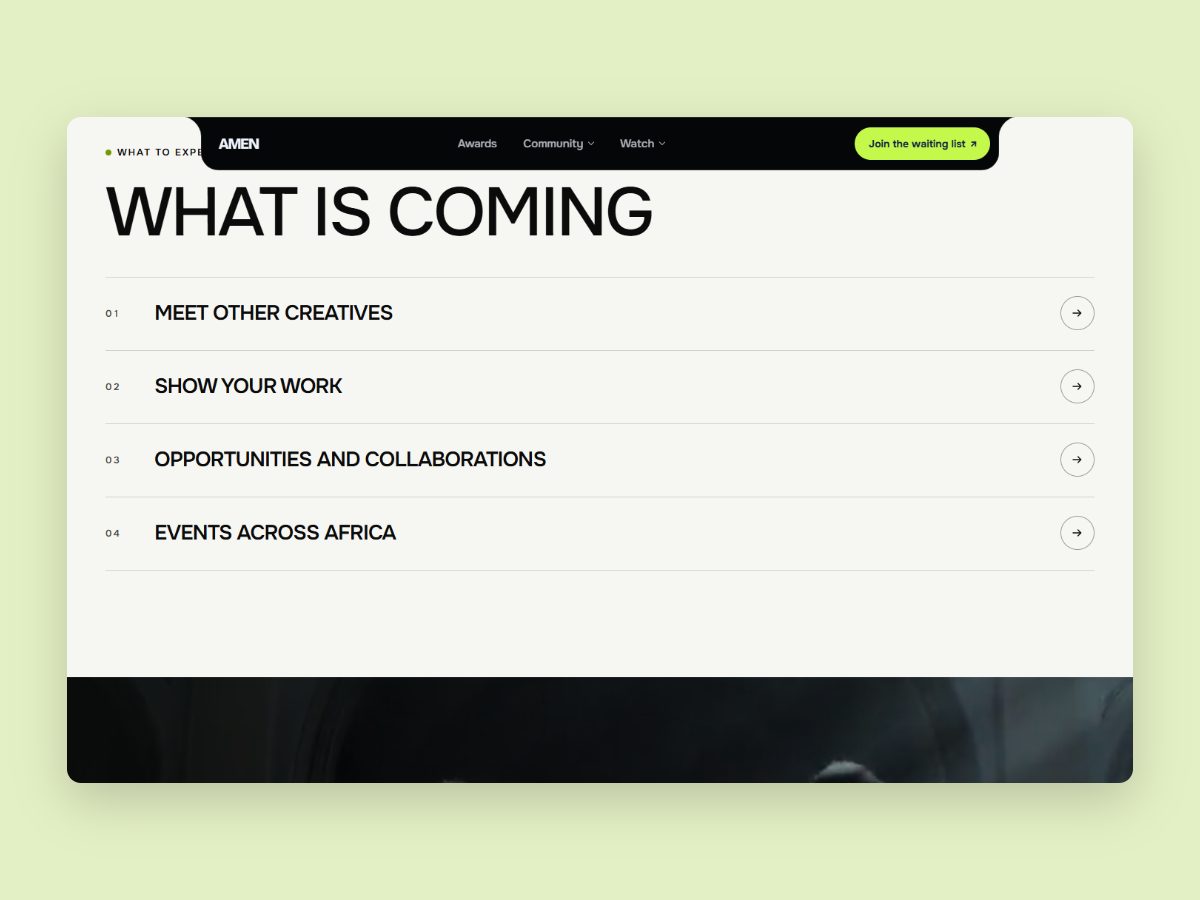
Four rows: meet other creatives, show your work, opportunities and collaborations, events across Africa.
The cue, or the nav’s Join action, glides to this page’s form, so the sign-up counts as a Community sign-up.
Name, email and country. Empty fields show an error summary and a message on each field.
The form confirms the sign-up in place.
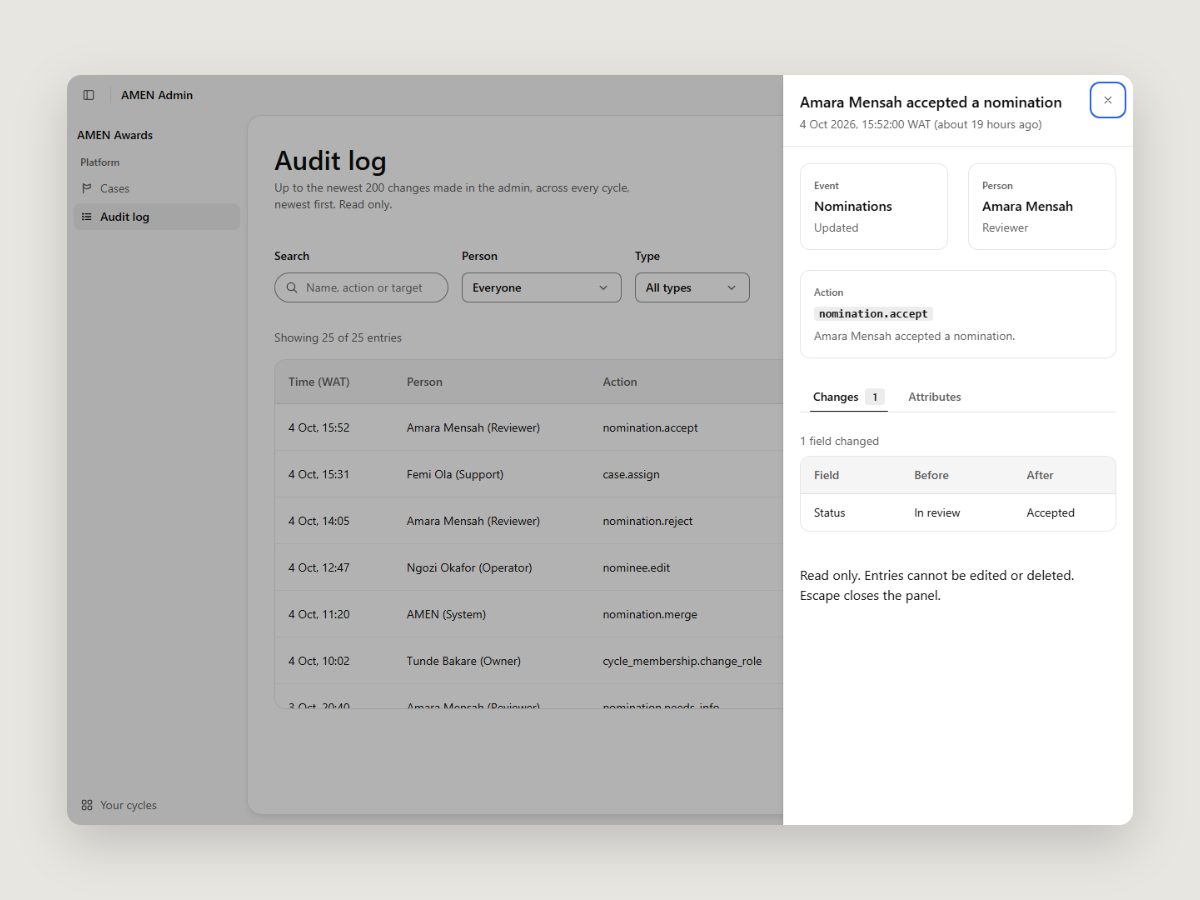
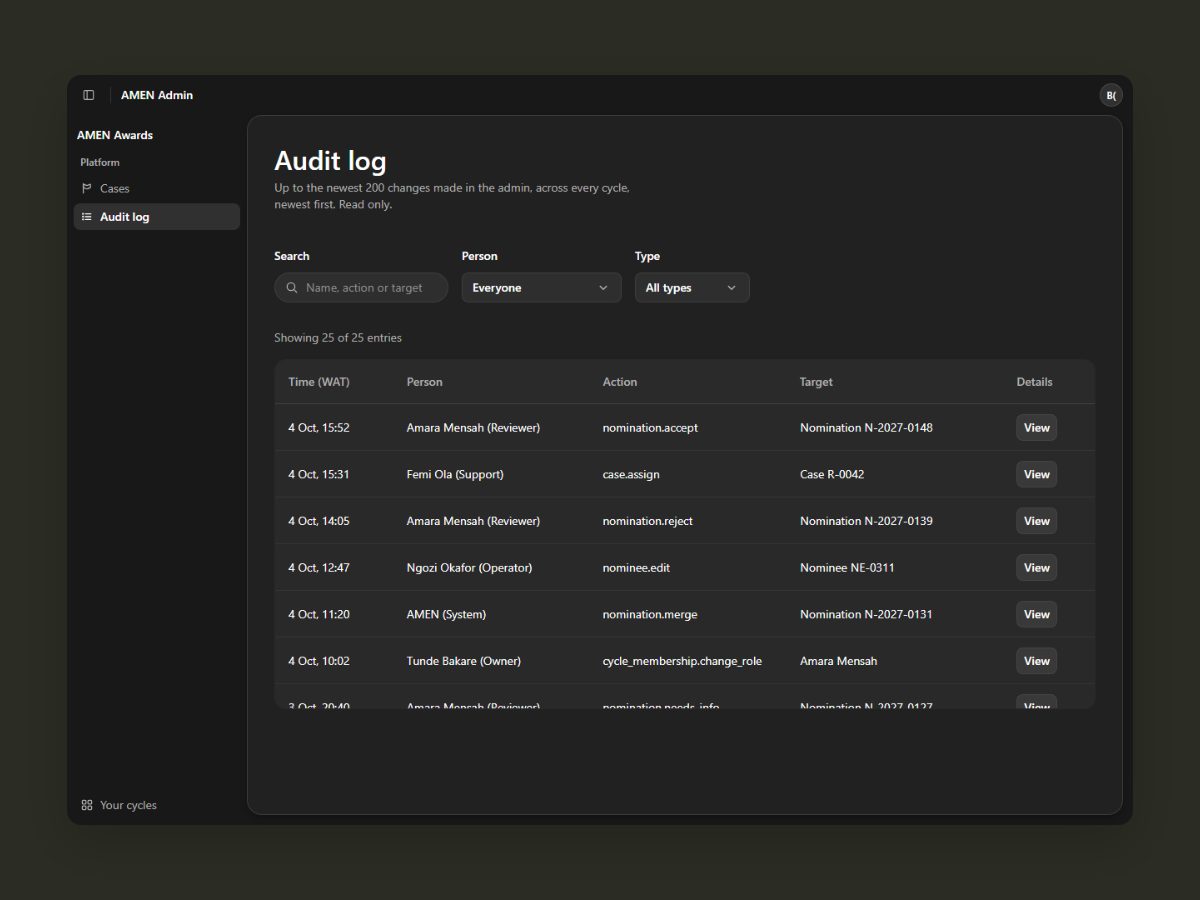
Platform admins only. The page says what it holds: up to the newest 200 changes, across every cycle, read only.
By name, action or target, by person and by type. Filters stay in the address, so a view can be shared.
A side panel opens with when it happened, who did it and the action. Escape closes it and returns to the row.
Changes shows each field before and after. Attributes lists every recorded value, with Filter by this.
How we built it
On AMEN, the same people design and build each piece, and we work in six stages.
- Chose a direction. For the audit log, we explored several layout directions and chose a calm table, with a side panel for the details.
- Built on what already exists. The Community page reuses the home page’s navigation, closing band and waiting list form. Where a page needed different wording, such as the form button, we made the shared component accept it, rather than duplicating the component.
- Connected it to real data. The audit log translates raw entries into plain language: staff appear as names and roles, system jobs read as “AMEN (System)”, and each change shows its before and after values.
- Designed every state. For the audit log, we designed loading, error, empty and “no matches” states; for the waiting list form, empty fields, errors and success.
- Tested it the way people will use it. We checked every screen from phone to large desktop, in light and dark mode, with the keyboard only and with reduced motion. The audit log shipped with 17 tests.
- Reviewed before shipping. We build with Claude Code, and every change is reviewed and shipped through GitHub pull requests that go through the team’s review process.
Key decisions
The form button says “Save my spot”
- Chose
- On the Community page, the form's button reads “Save my spot” (and “Saving your spot” while it sends).
- Rejected
- The same “Join the waiting list” label as the nav button above it.
Trade-off. This means two labels for one action, but the person scrolling to the form reads the button for where they are. Home and Watch keep their own wording.
The nav joins on this page
- Chose
- On /community, the nav's Join action scrolls to this page's form.
- Rejected
- Sending visitors back to the home page's form, which also recorded the sign-up as coming from the home page.
Trade-off. The nav now behaves differently on one page, so the shared nav needed an option for it. In return, sign-ups from the Community page are counted as Community sign-ups.
Say exactly what the audit log shows
- Chose
- “Up to the newest 200 changes made in the admin, across every cycle, newest first. Read only.” When the list is full, it says older entries aren't shown.
- Rejected
- The design canvas line “Everything that changed in AMEN Awards 2027”.
Trade-off. It is less grand, but it is true: the data covers every cycle and stops at 200 entries, and an admin should never think the log is complete when it isn't.
Don't guess a name
- Chose
- Someone who was later removed from the team shows as “Team member” plus a short reference.
- Rejected
- A front-end workaround that guesses names from the people still on the team.
Trade-off. The log is less friendly for removed staff until the API sends names, a backend change we flagged. A wrong name in an audit log would be worse.
Solution
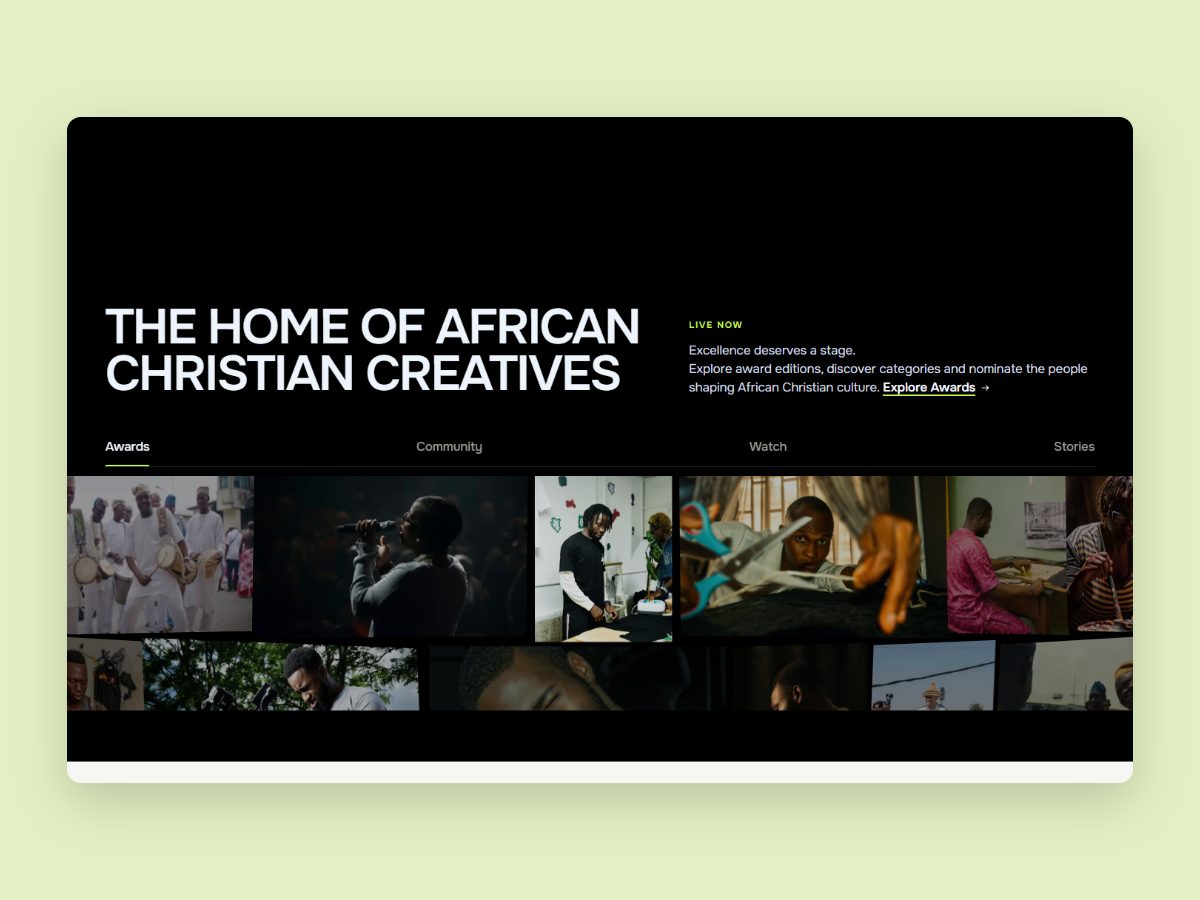
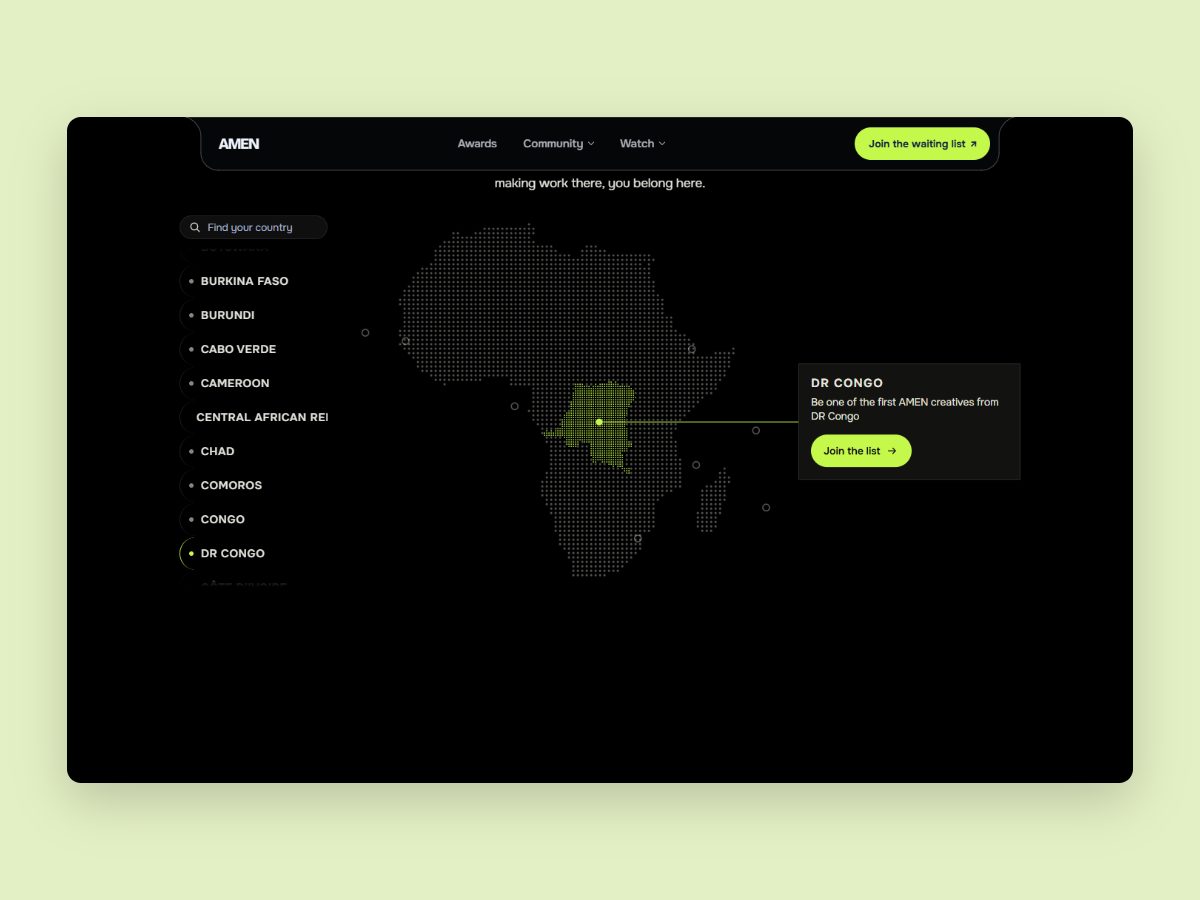
Home page and waiting list. The home page introduces AMEN and its three parts: the Awards, which are live now, and the Community and Watch, which are coming soon. It closes with the waiting list form, to ensure that every visitor has a clear next step.
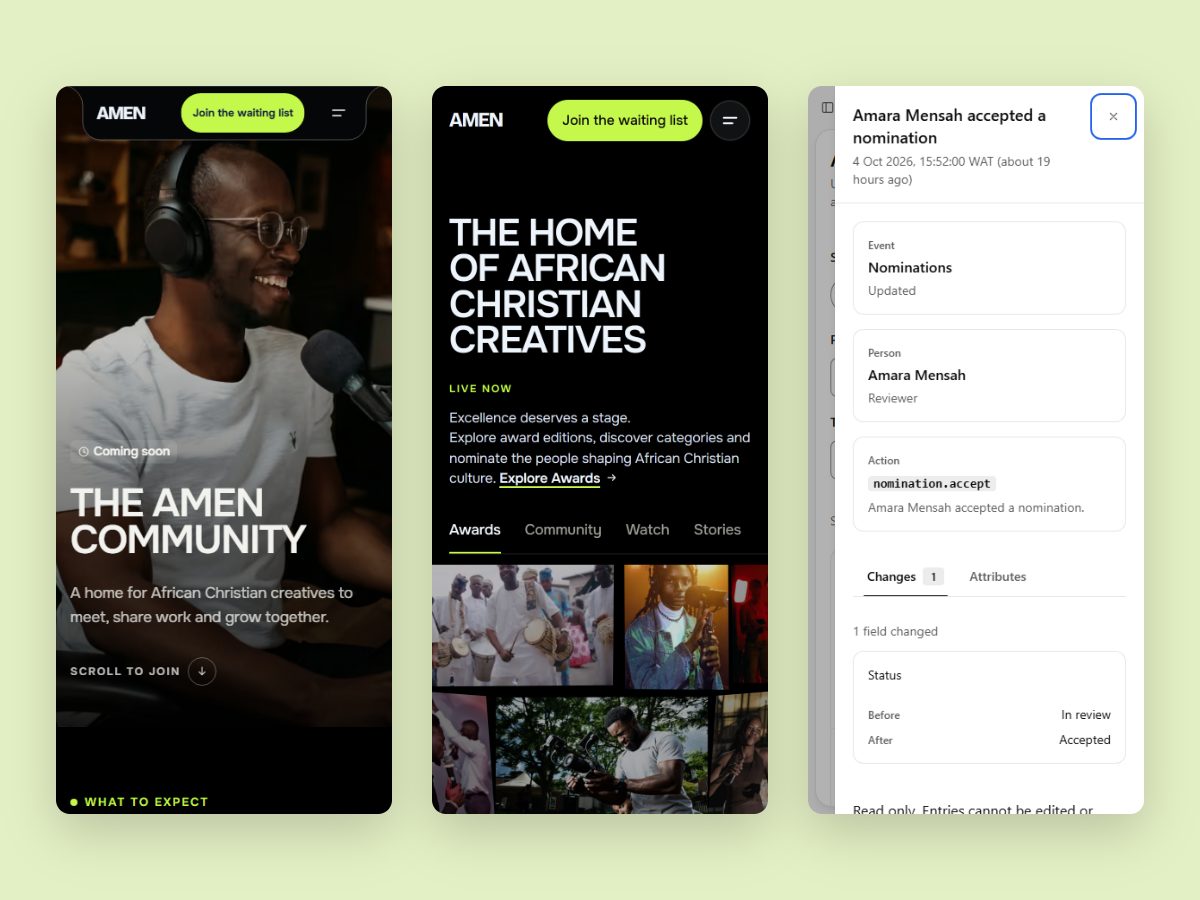
Community page. The page opens with a full-bleed hero and a Coming soon badge, followed by a quiet “Scroll to join” cue that glides down to the form. Four rows then explain what members can expect: meeting other creatives, showing their work, opportunities and collaborations, and events across Africa. The page ends with the waiting list form. The cue’s arrow only moves when the visitor allows motion, and it can be reached with the keyboard. The page was tested at 375, 768, 1280 and 1920 pixels, in light and dark mode, with no sideways scrolling.
Admin audit log. The audit log is available to platform admins only. It offers search, plus Person and Type filters that are kept in the page address, so that a filtered view can be shared with a colleague. Changes are listed in a calm table showing the time, person, action and target. Selecting View opens a side panel that shows when the change happened and who made it, with two tabs: Changes, which compares before and after, and Attributes, which lists every recorded value with a “Filter by this” option. The log is read only, so nothing can be edited, deleted or exported. Loading, error, empty and “no matches” states are all designed, and the log works with the keyboard, in light and dark mode, from phone to desktop. It shipped with 17 tests, covering every requirement and every bug found in review.
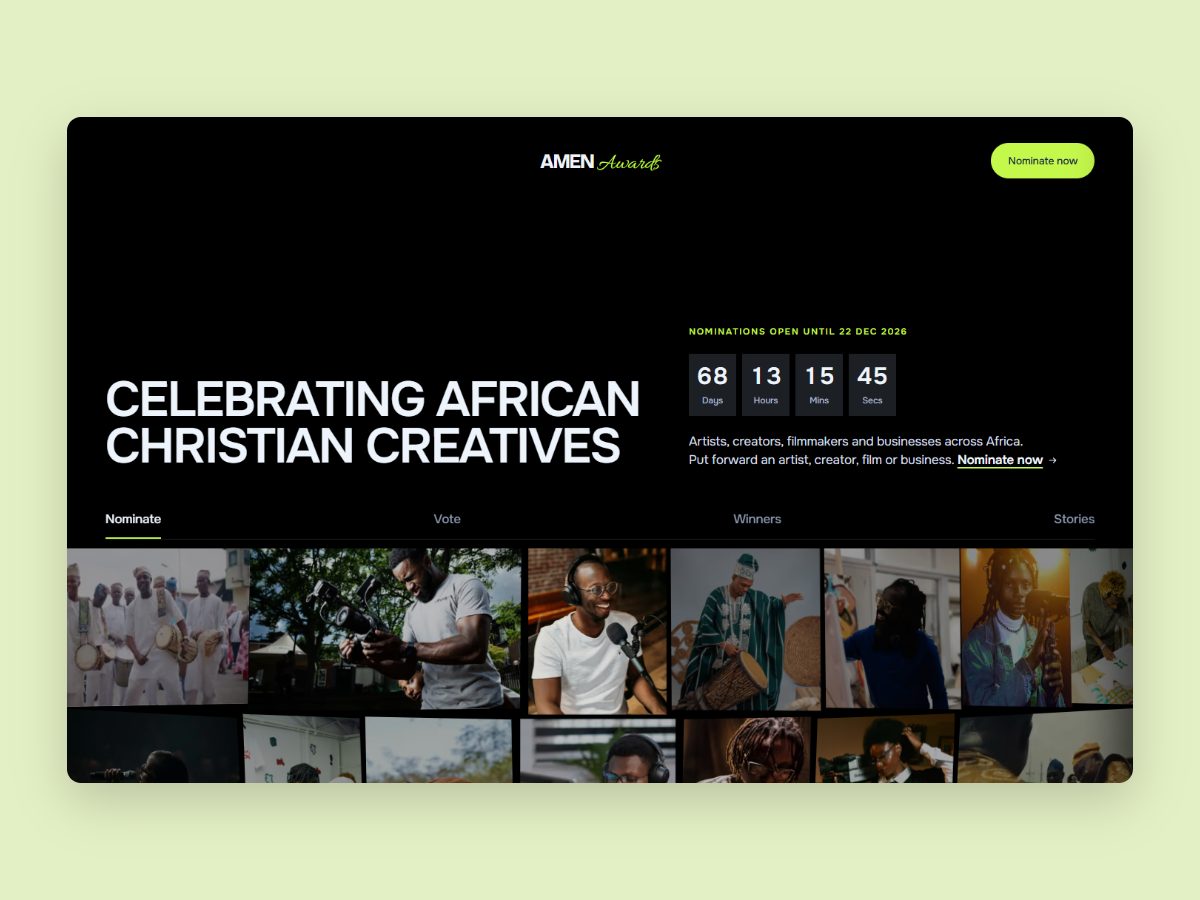
AMEN Awards site. The AMEN Awards site, where creatives are nominated and voted for, is live at awards.amen.africa.
Outcome
The audit log was merged on 5 October 2026, and the Community page on 13 October 2026. AMEN is now live: the home page and the Community page at amen.africa, and the Awards at awards.amen.africa. The project is ongoing.
What I’d do next
- show the names of people removed from the team in the audit log, once the API provides them (the backend change has been flagged)
- turn the two page-specific style adjustments on the Community page into shared design system components
- analyse waiting list sign-ups by page, now that Community sign-ups are counted correctly
- continue testing the pages on real phones, not only in the browser
What I learned
Data shapes the design. Designing and building the same screen changes the questions we ask. The data decides what a screen can honestly say, so it should be checked before a single label is written.
Reuse builds consistency. Reusing what the team already had, such as the navigation, the form and the closing band, made a new page feel like part of AMEN from day one, and kept the design system consistent.