Landnest Sales Partner Portal
One place where Landnest’s sales partners submit sales, follow every approval and see when their commission will be paid.
Overview
Landnest is a real estate network in Nigeria. Its sales partners sell Landnest properties to their own clients, submit each deal, and earn a commission when the sale is approved and paid.
Before this project, that whole process ran on spreadsheets, WhatsApp threads and email chains. The work was manual and error-prone, and partners were often left waiting, which steadily eroded their trust in Landnest.
I worked on the Landnest sales partner portal as a product and UI designer, in a team of 9.
Problem
The portal had three groups of users: sales partners, the finance team and operations managers. Each depended on the same information, but that information was scattered across different channels.
How might we design a centralised, transparent process that streamlines sales submissions, makes commission tracking clear, and helps rebuild partners’ trust in Landnest?
Research
Firstly, we wanted to understand the root of the problem rather than its symptoms. We ran stakeholder workshops and spoke with partners, guided by three questions:
- What are the biggest pain points in the current process?
- How do partners currently submit and track their sales?
- What does the internal workflow look like, and where do errors usually occur between partners and management?
The workshops surfaced 12 pain points across Sales, Finance and Operations. The most important were:
- Fragmented submission channels: sales arrived by email, WhatsApp and spreadsheets, which led to data-entry errors and missed deals.
- Unclear approval status: partners could not see where a sale stood, and most disputes started there.
- Confusion about payout timing: partners did not know when they would be paid.
- Slow, manual reconciliation: payouts were delayed while sales were matched by hand.
To make sense of what we heard, we grouped the findings through affinity mapping. Four themes emerged:
- Trust: partners lost confidence when deals went unrecorded or seemed to disappear.
- Clarity: partners could not see who approves what, or which details were required.
- Speed: manual updates and back-and-forth turned a simple status check into days of waiting.
- Payment delay: payouts regularly slipped past the expected date, with no clear schedule.
These themes formed the basis of every design decision that followed.
User flow
Based on the research, we mapped the core journey of a sales partner, from signing up to receiving a commission. The goal was to ensure that partners always know what to do next and what happens after they submit.
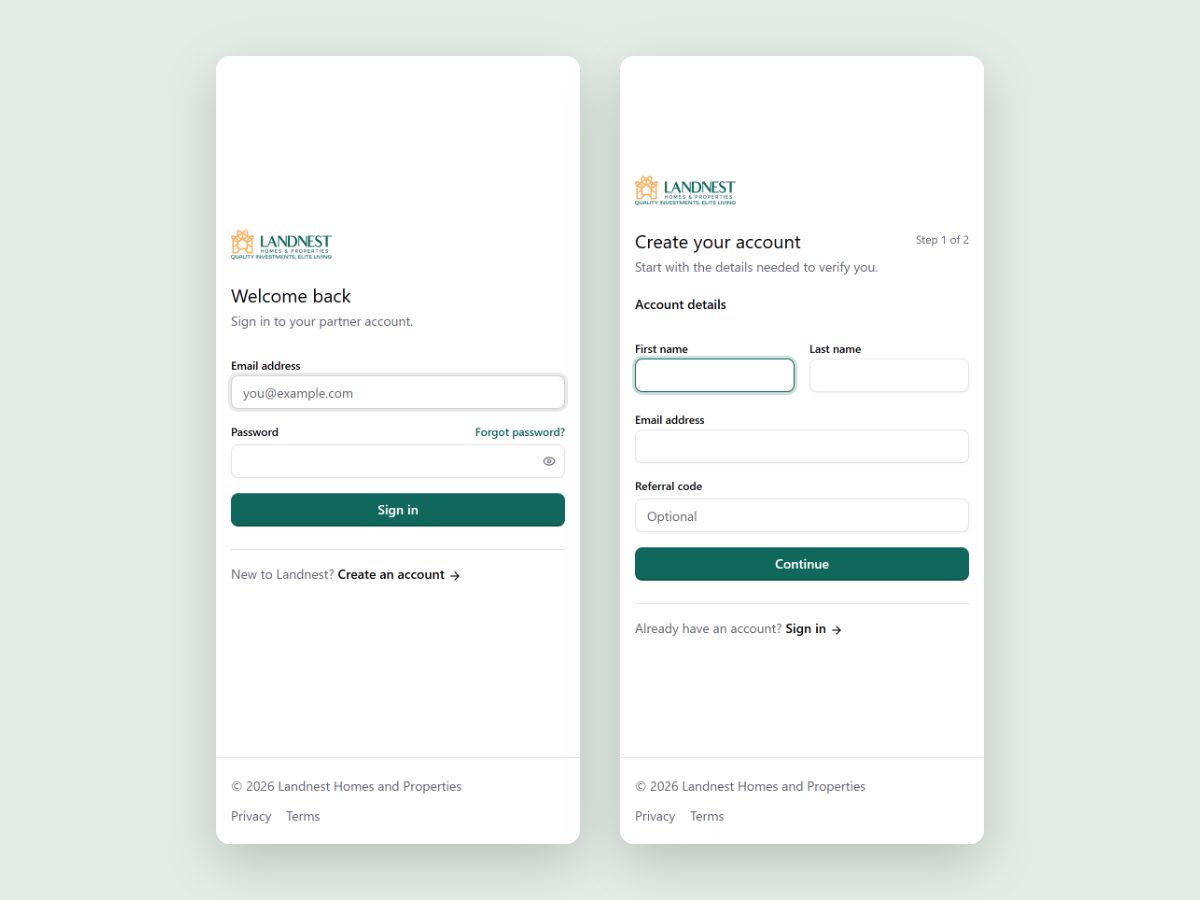
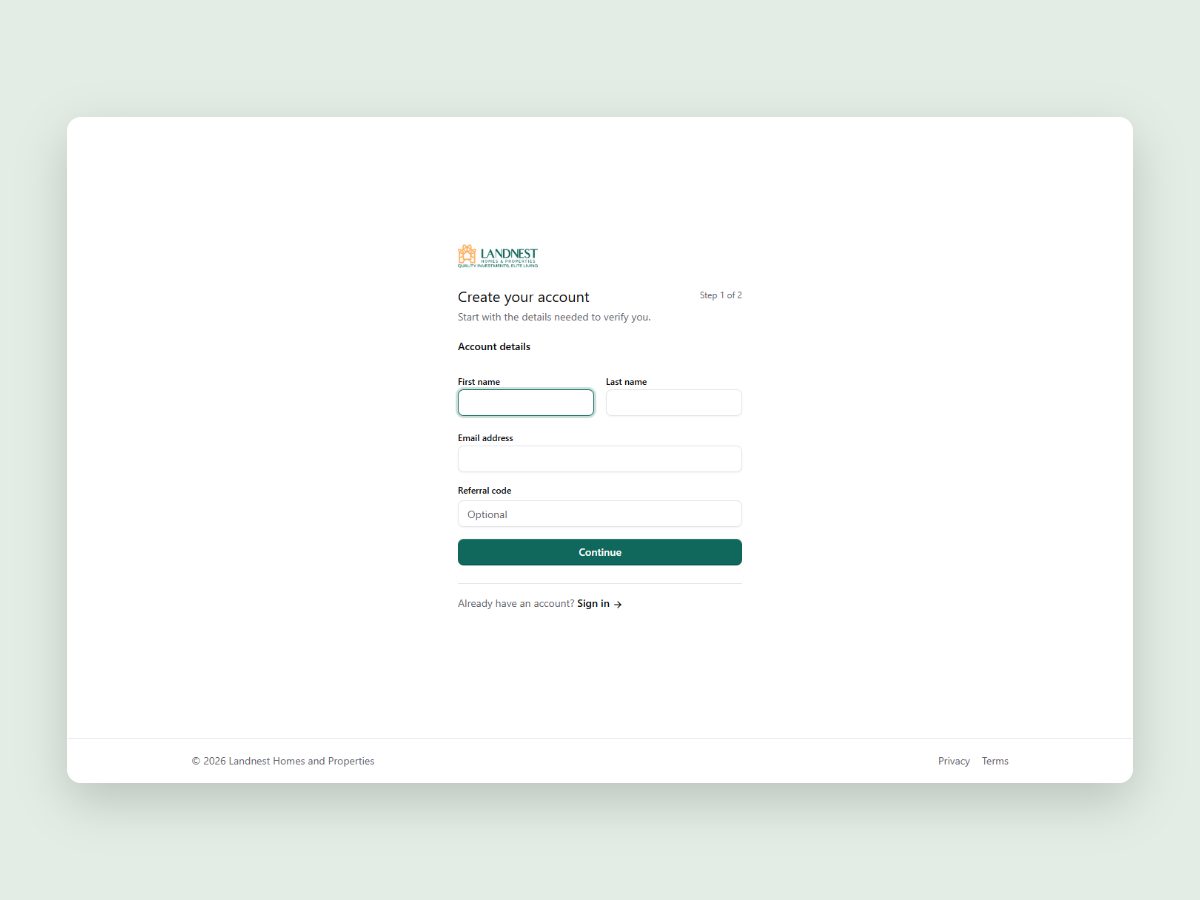
A short form creates the partner account, with an optional referral code.
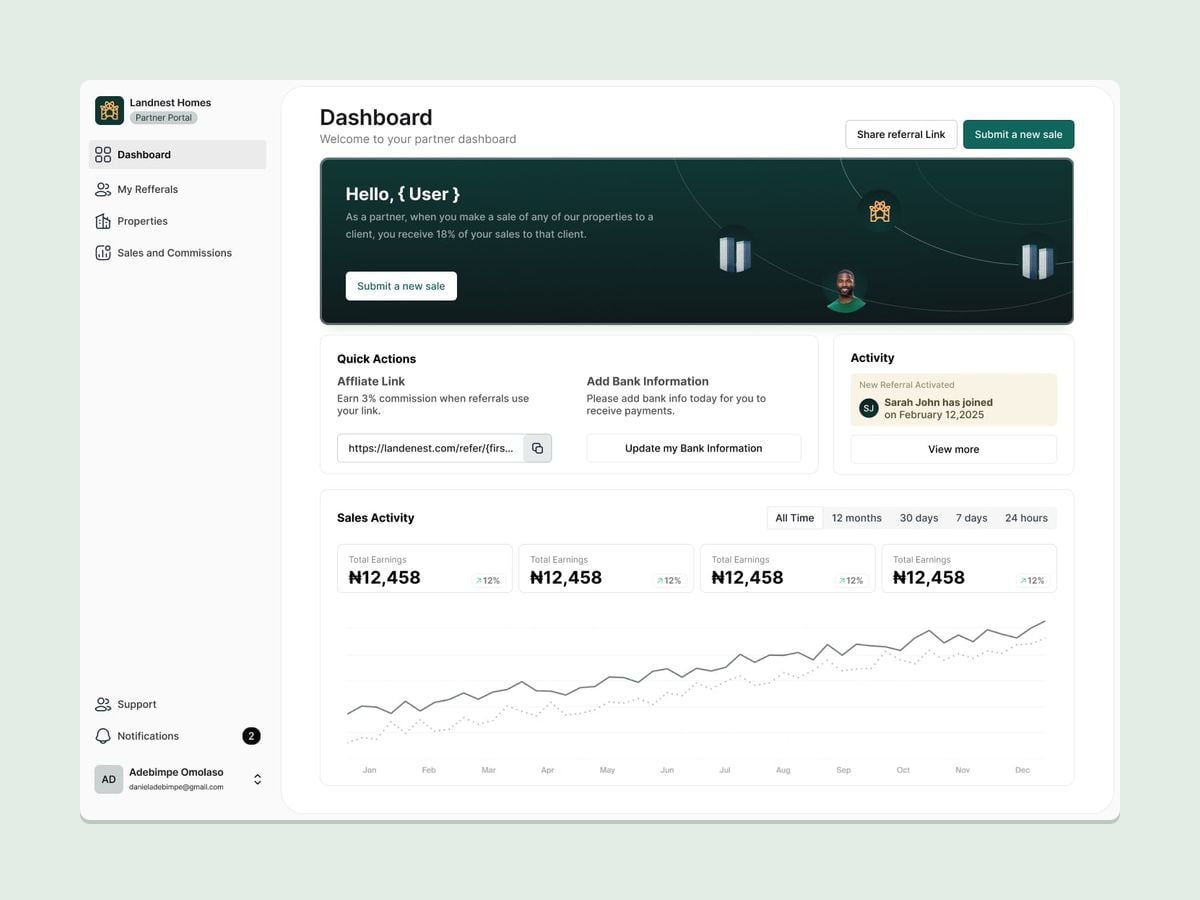
Quick actions to share a referral link, add bank details and submit a new sale.
One form for the property, buyer, amount and documents, instead of email, WhatsApp and spreadsheets.
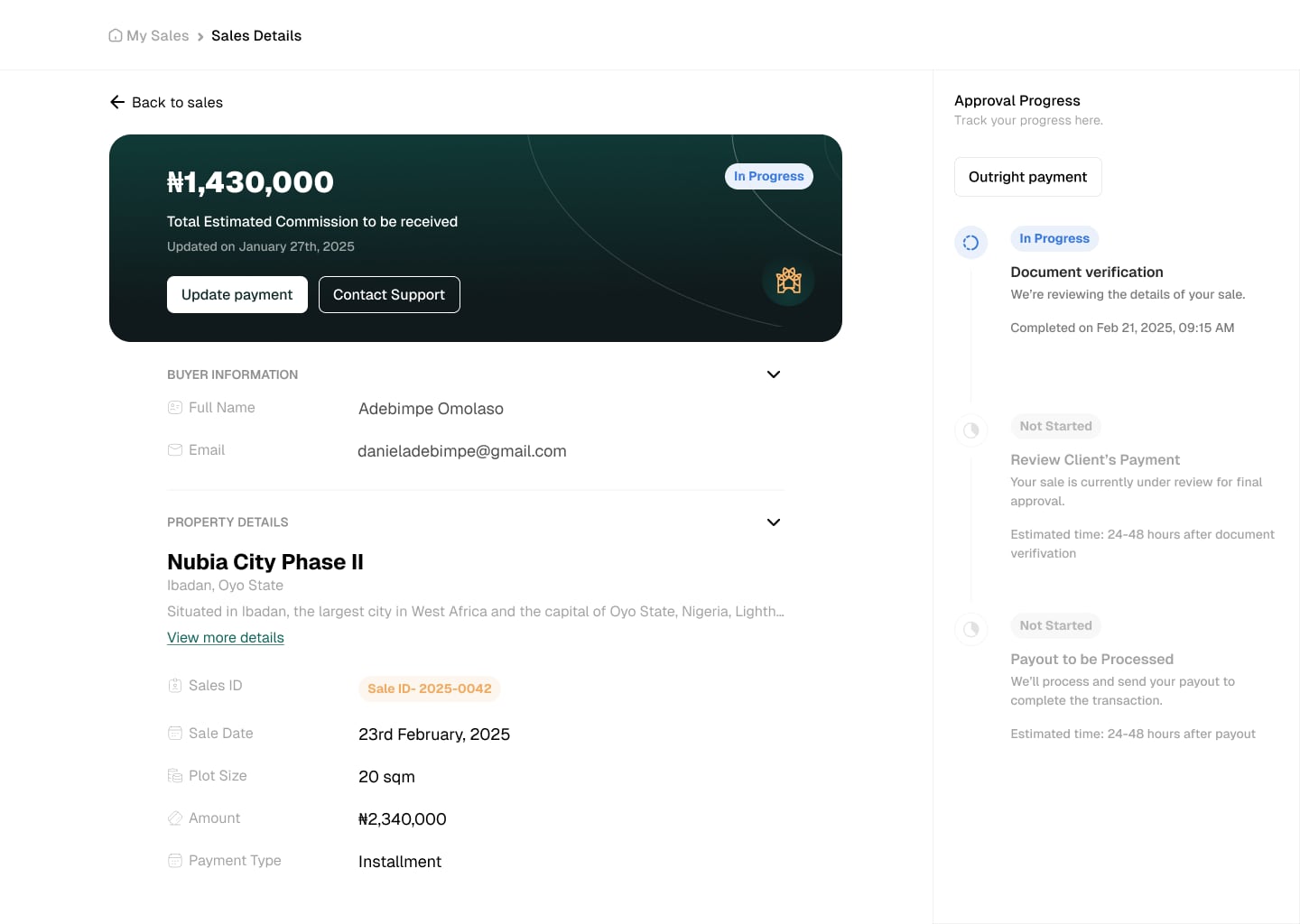
The approval progress shows each stage and how long it is expected to take.
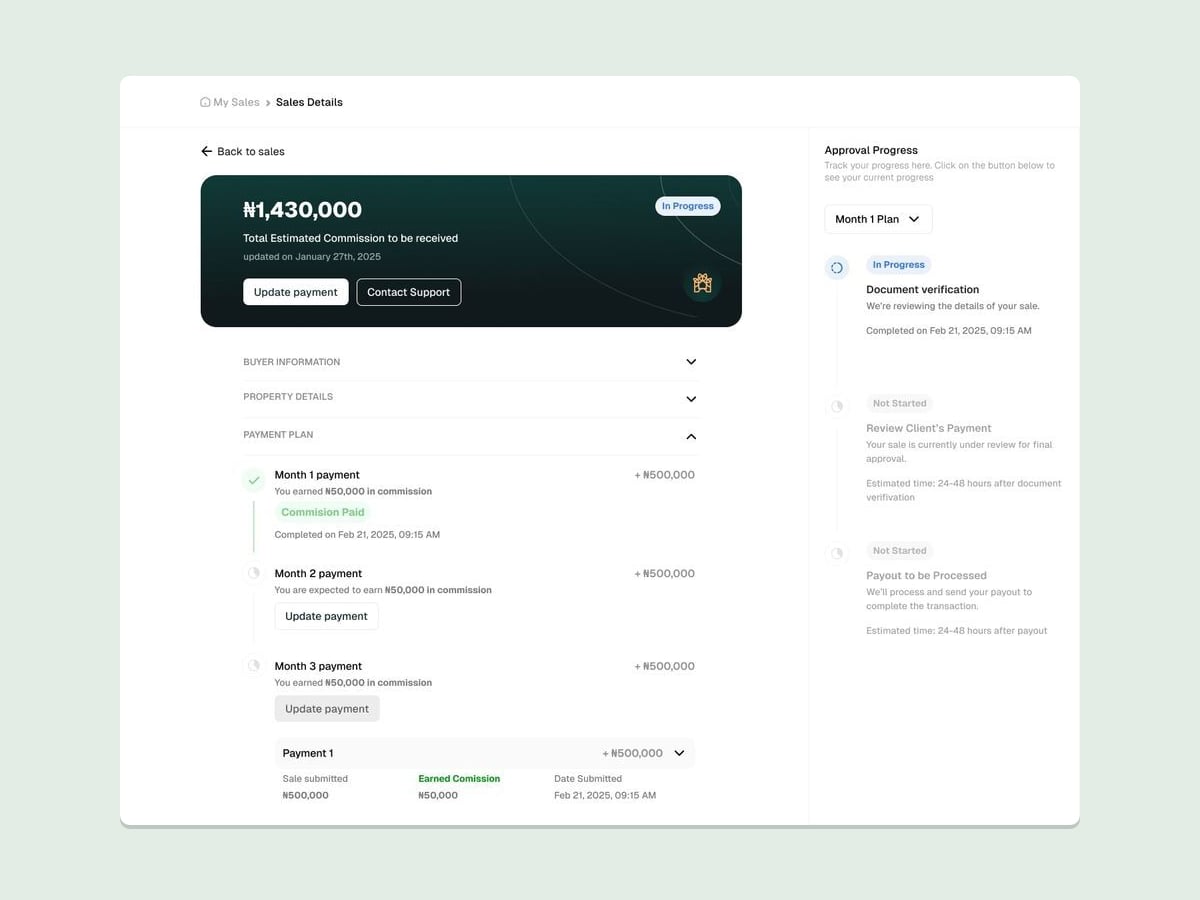
Each instalment shows the commission earned and whether it has been paid.
The payout stage confirms when the commission has been sent.
How I built it
We approached the portal in six stages, with each stage building on what the previous one revealed.
- Discovered the root problem. Stakeholder workshops and partner conversations revealed the 12 pain points.
- Defined the key problems. Affinity mapping grouped them into four themes: trust, clarity, speed and payment delay.
- Prioritised the features. We used the MoSCoW method to decide what the first version had to include.
- Sketched and tested the core flows. In a two-week sprint, we explored five core flows (submission, approval, tracking, payout and disputes) with clickable prototypes, which were tested by a designer on the team.
- Designed in Figma. The flows moved from low fidelity to high fidelity in Figma.
- Handed off to the developers. The final designs were handed over in Figma for development.
Key decisions
- Prioritise what partners need first. Using MoSCoW, the must-haves were onboarding, direct sale submission, sale and referral commission payments, and sale tracking with status updates. Earning reports and email notifications came next, team metrics and custom dashboards were possible later, and AI agents and WhatsApp integration were left out of the first version.
- One place to submit a sale. A single form for the property, buyer, payment details and documents replaced email, WhatsApp and spreadsheets, which reduced the room for data-entry errors.
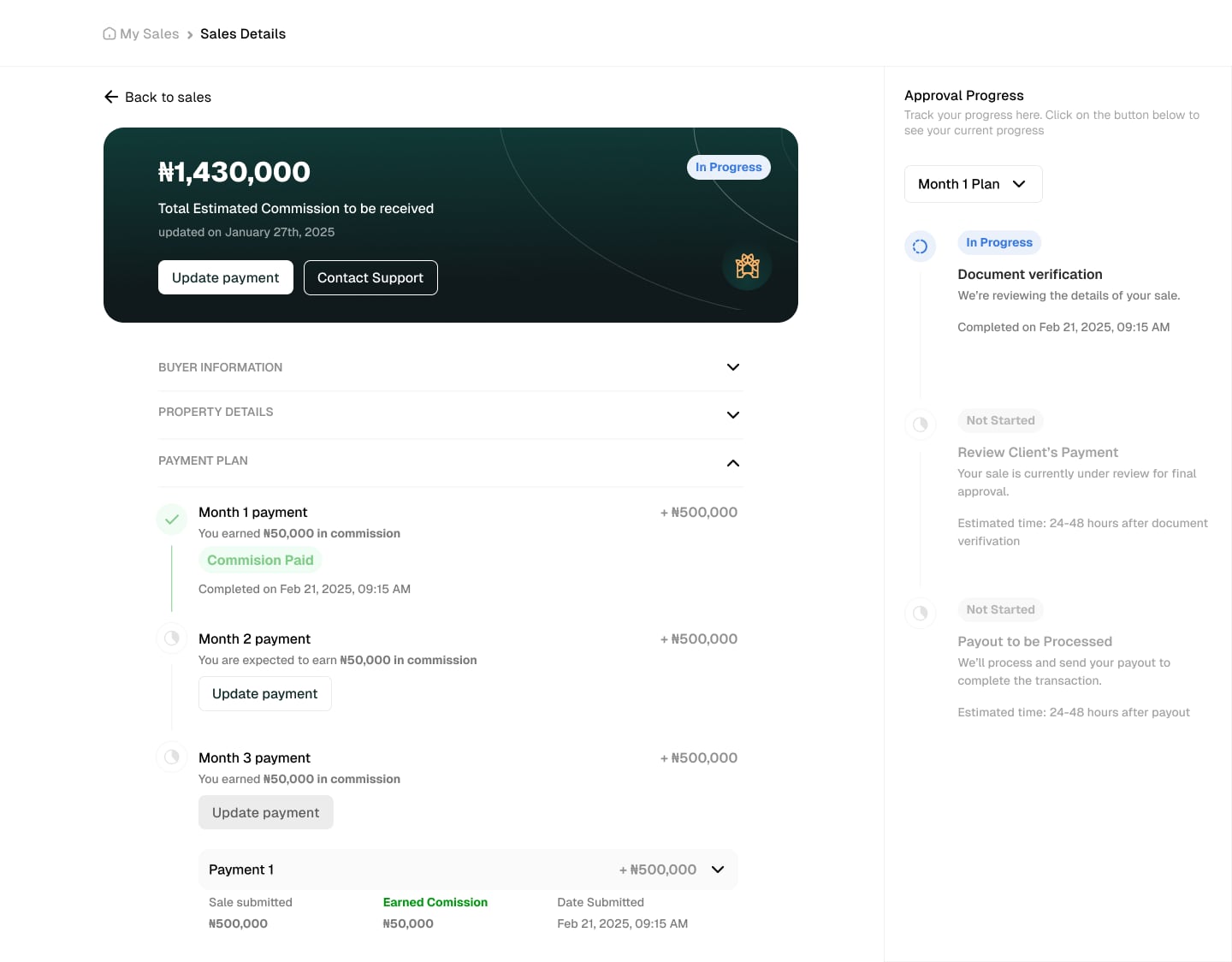
- Make approval progress visible. Every sale shows its approval stages, from document verification to the client’s payment review and the payout, with the expected time for each, so partners no longer need to ask where a sale stands.
- Show commission per payment. Many sales are paid in instalments, so the refined sale details show the payment plan month by month, with the commission earned on each payment and whether it has been paid. This addresses the confusion about payout timing directly.
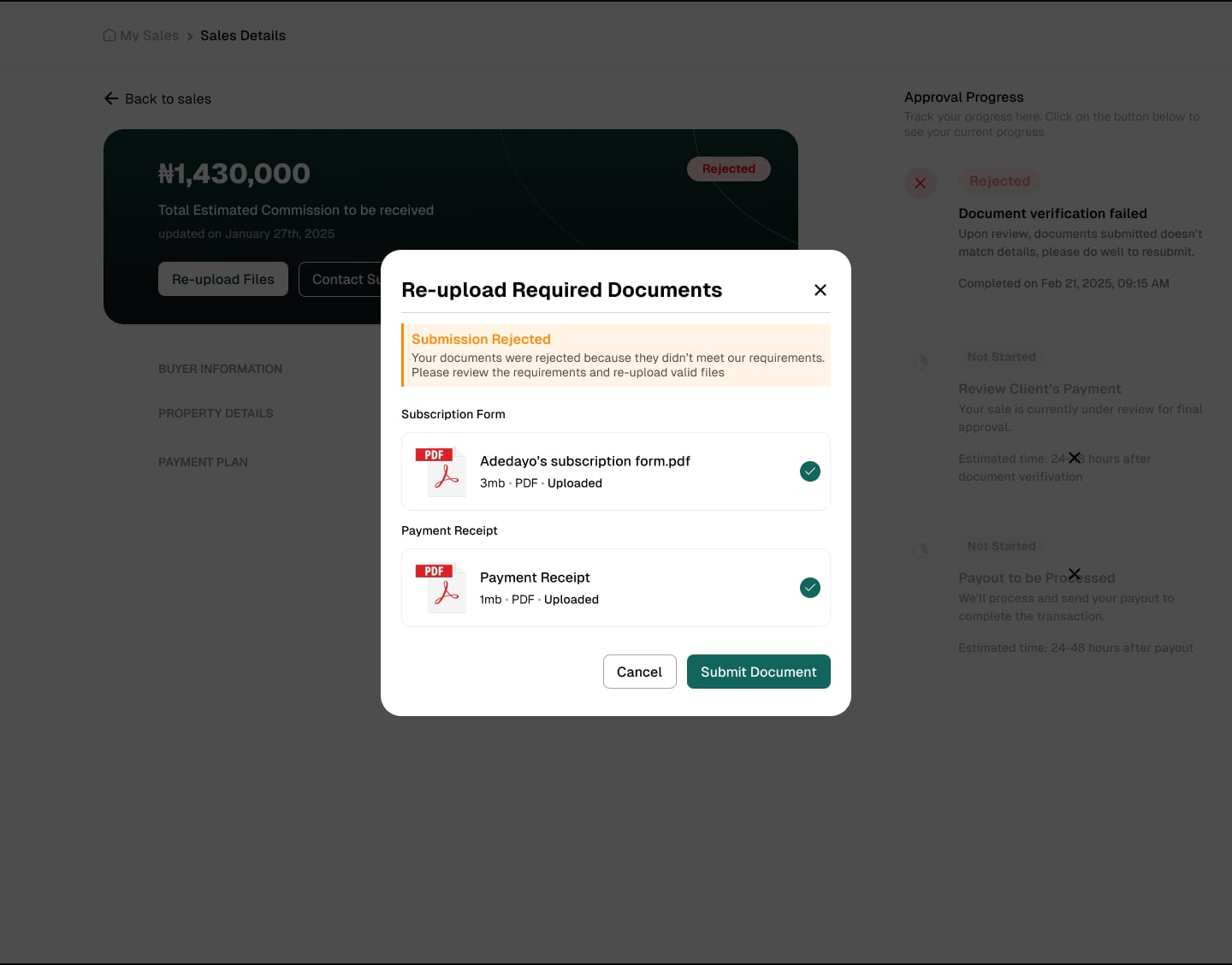
- Explain rejections and offer a clear way forward. When documents are rejected, the partner sees why, and can re-upload the subscription form and payment receipt in the same place, instead of starting a dispute.
Solution
The result was a single partner portal that brings the whole sales process into one place. Partners can:
- sign up and set up their account
- share a referral link and add their bank details
- submit a sale with its documents in one form
- follow each sale through verification, payment review and payout
- see the commission earned on every instalment of a payment plan
- understand a rejection and re-upload their documents
Outcome
The partner portal is live at partner.landnesthomesandproperties.com. Sales partners now sign up, submit sales and track their commissions there, in one place, instead of across email, WhatsApp and spreadsheets.
What I’d do next
If I were to continue the project, I would:
- build a real-time analytics dashboard for partners
- design and prototype a mobile experience
- integrate payments, so that payouts can be tracked from end to end
- test the submission and tracking flows with partners again, to learn where they still hesitate
What I learned
Involve users early. Bringing partners and internal teams in from the first workshops meant we designed around real problems, and spent less time reworking the flows later.
Transparency builds trust. Most of the frustration came from not knowing, not from waiting. Showing each stage of a sale, and what happens next, did more for partners’ confidence than any single new feature.